Microsoft 365 notices about messages in quarantine
2025-12-25 - date of publishing 2026-09-08 - information about change of sender address in English version of the message
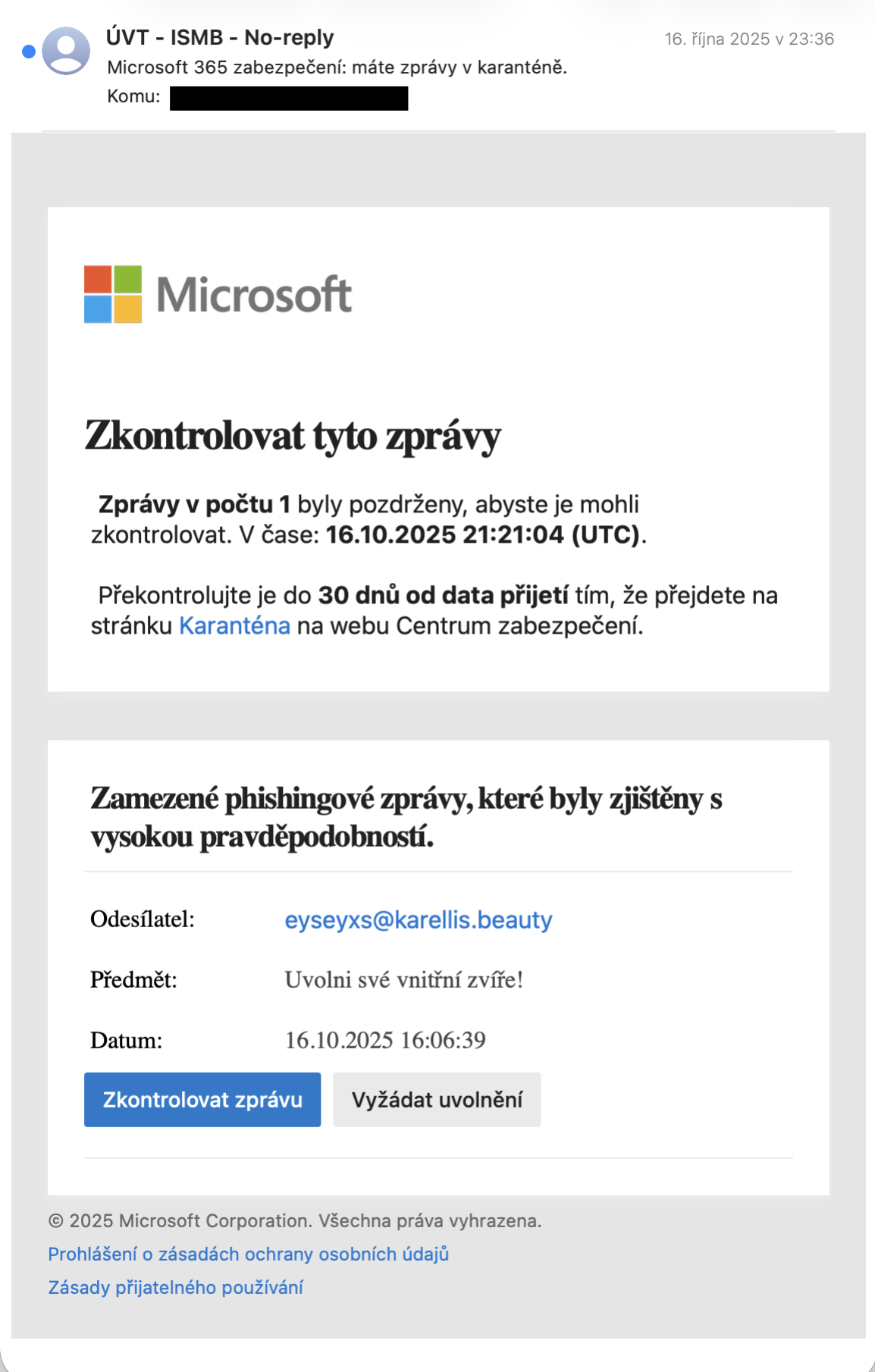
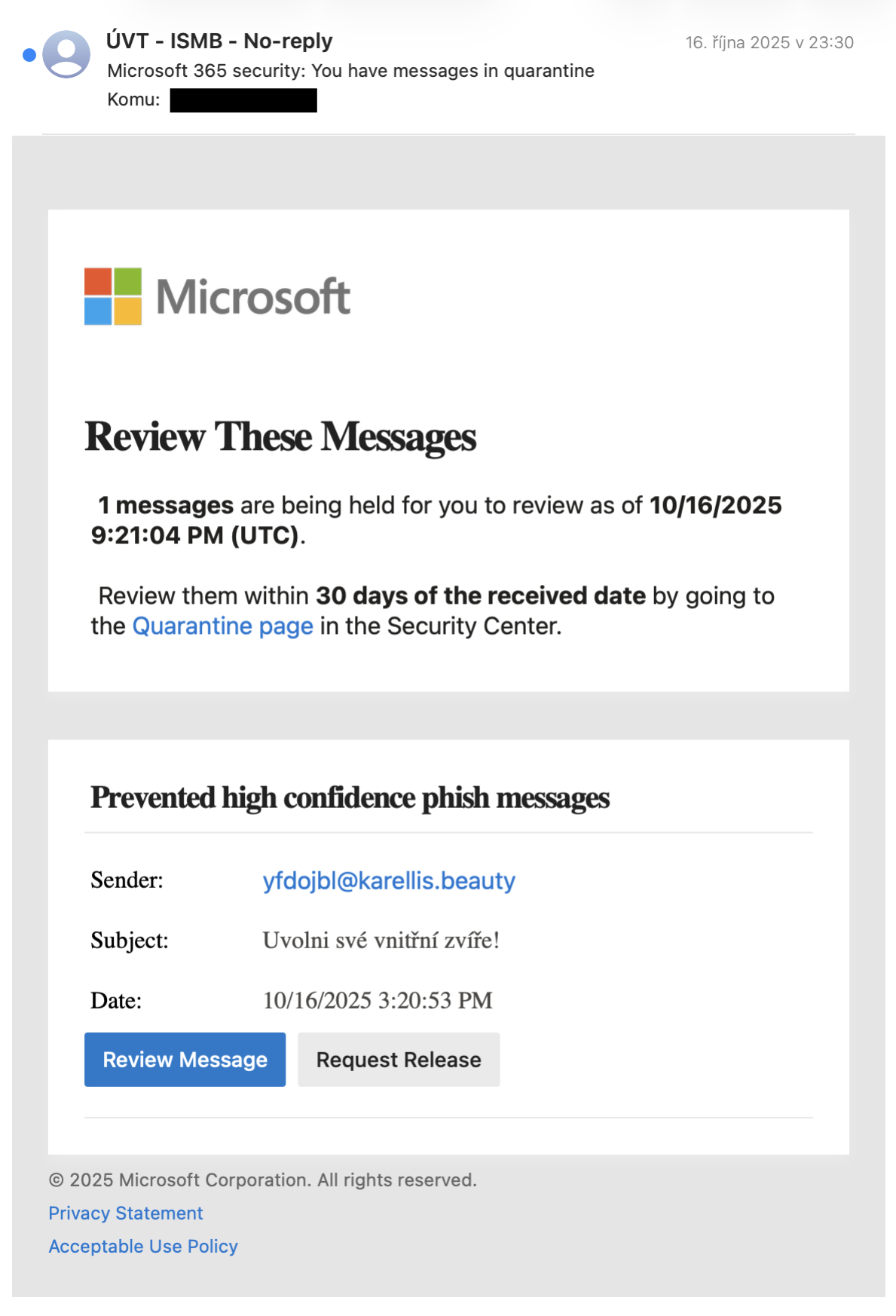
The security team CSIRT-CUNI quite often gets notifications about suspicious emails. They appear in both Czech and English versions and look like this:
Czech version:
English version:
What is suspicious about them:
- they inform about the detention of a certain e-mail into “quarantine” and offer the possibility of its release
- there is limited time for the recipient to get to the detained e-mail
- the recipient has not heard about any “quarantine” and has not requested to send these e-mails
- so far, all such e-mails encountered by the recipient have been attempts at fraud
So is it a scam or not?
The Microsoft 365 system used by Charles University does evaluate some emails as dangerous and puts them in “quarantine.” This means that the recipients don’t come at all. It doesn’t have them in “Inbox” and it can’t find them in the “Junk Mail” or “Deleted Mail” folders. To let the recipient know that they didn’t receive such an email, Microsoft 365 sends them these notifications. It started coming in around mid-October 2025, when this feature was turned on for all users of the central Microsoft 365 tenant of Charles University.
How to tell if it’s not a scam:
The authors of fraudulent e-mails (phishing) are very happy to imitate these e-mails. So be very careful. If, according to the subject and the sender, something really dangerous or something you don’t want fell into quarantine, ignore the e-mail. If you decide to request a message from the quarantine, first check these things carefully:
In Czech version:
- sender’s name must be “ÚVT - ISMB - No-reply”
- sender’s address must be “noreply-ismb@cuni.cz”
- link under “Zkontrolovat zprávu” must start with https://security.microsoft.com/quarantine?…
- link under “Vyžádat uvolnění” must include “…quarantine.dataservice.protection.outlook.com/…“
English version:
- sender’s name must be “ÚVT - ISMB - No-reply”
- sender’s address must be “noreply-uvt@cuni.cz”
- link under “Review Message” button must start with https://security.microsoft.com/quarantine?…
- link under “Request Release” button must contain “…quarantine.dataservice.protection.outlook.com/…“
Note: until 8. 9. 2026 was the sender’s address in the English version “uvt-noreply@cunicz.onmicrosoft.com”. If you encounter such an email, please let us know - forward it to us at abuse@cuni.cz. There is a configuration error somewhere.
If you are unsure, forward our email to abuse@cuni.cz for verification. We are happy to do so.
In conclusion for the CSIRT-CUNI team, I want to thank everyone who sends us suspicious email alerts. This is valuable information for us and caution is never enough!